
 Deutsch
 English
 Español
 Français
 Italiano
 Nederlands
 Türkçe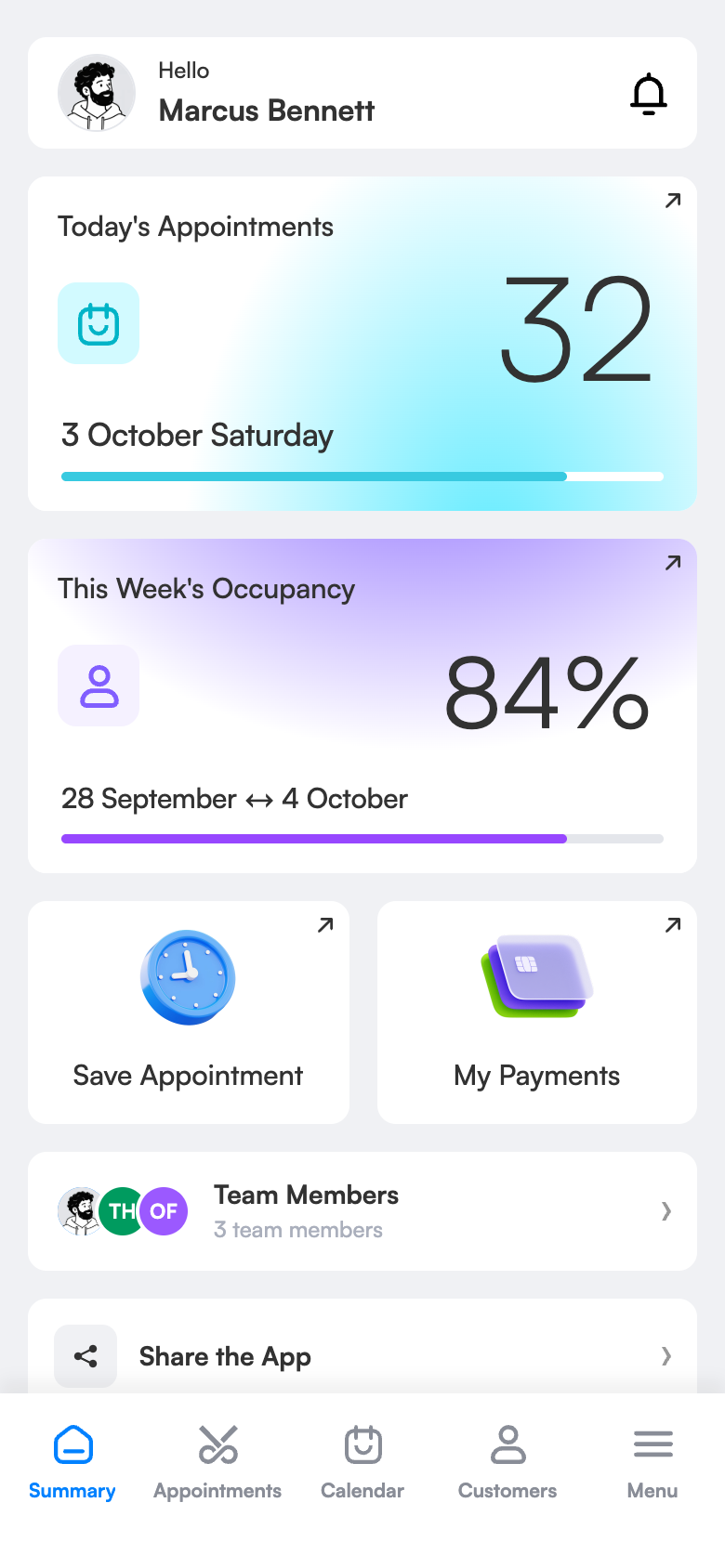
Appointment tracking: ditch the paper diary, no empty slots or clashes.
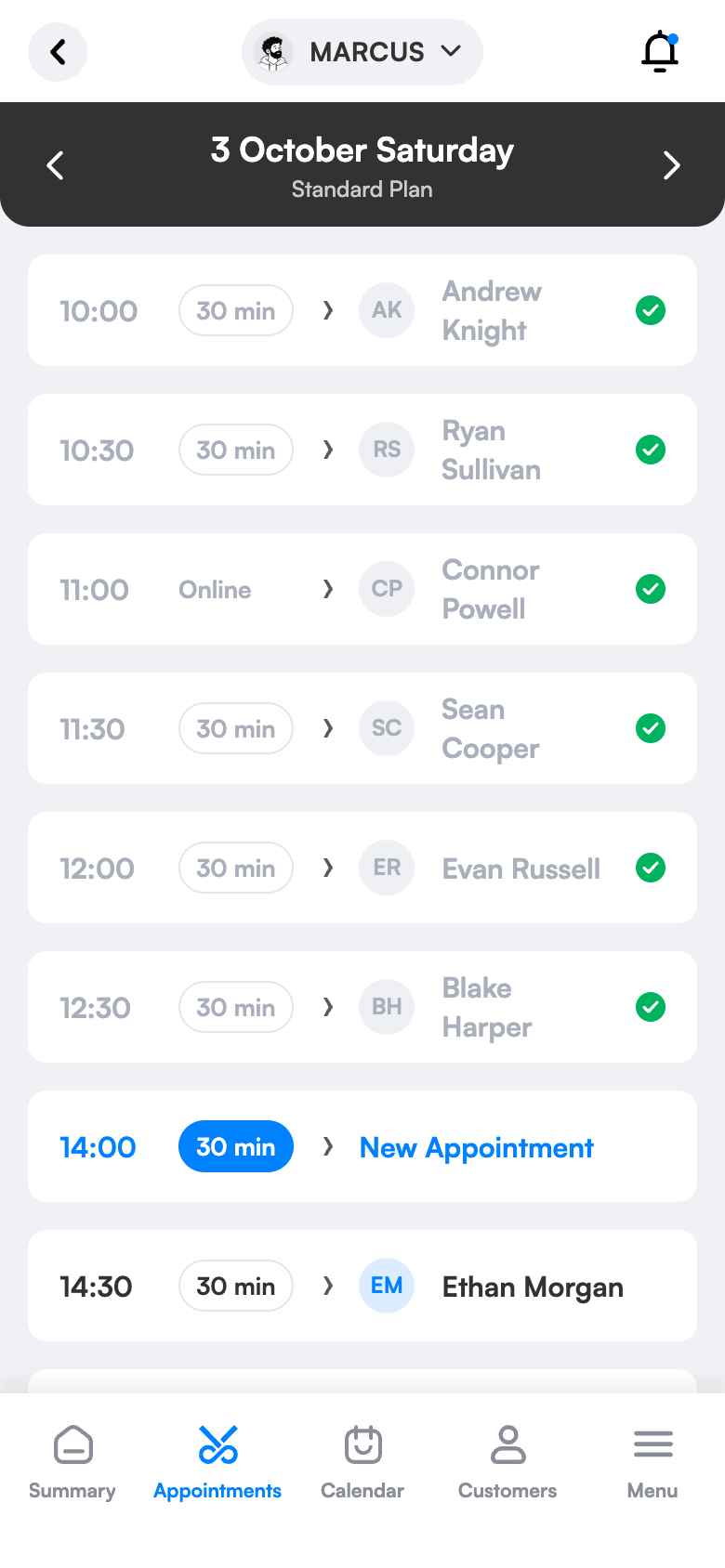
All of the day’s appointments are in front of you hour by hour, free slots visible at a glance. Two appointments can’t be booked at the same time; you follow occupancy daily, weekly and monthly, per employee. Your salon diary is always at hand on your phone and computer.
Quick entry
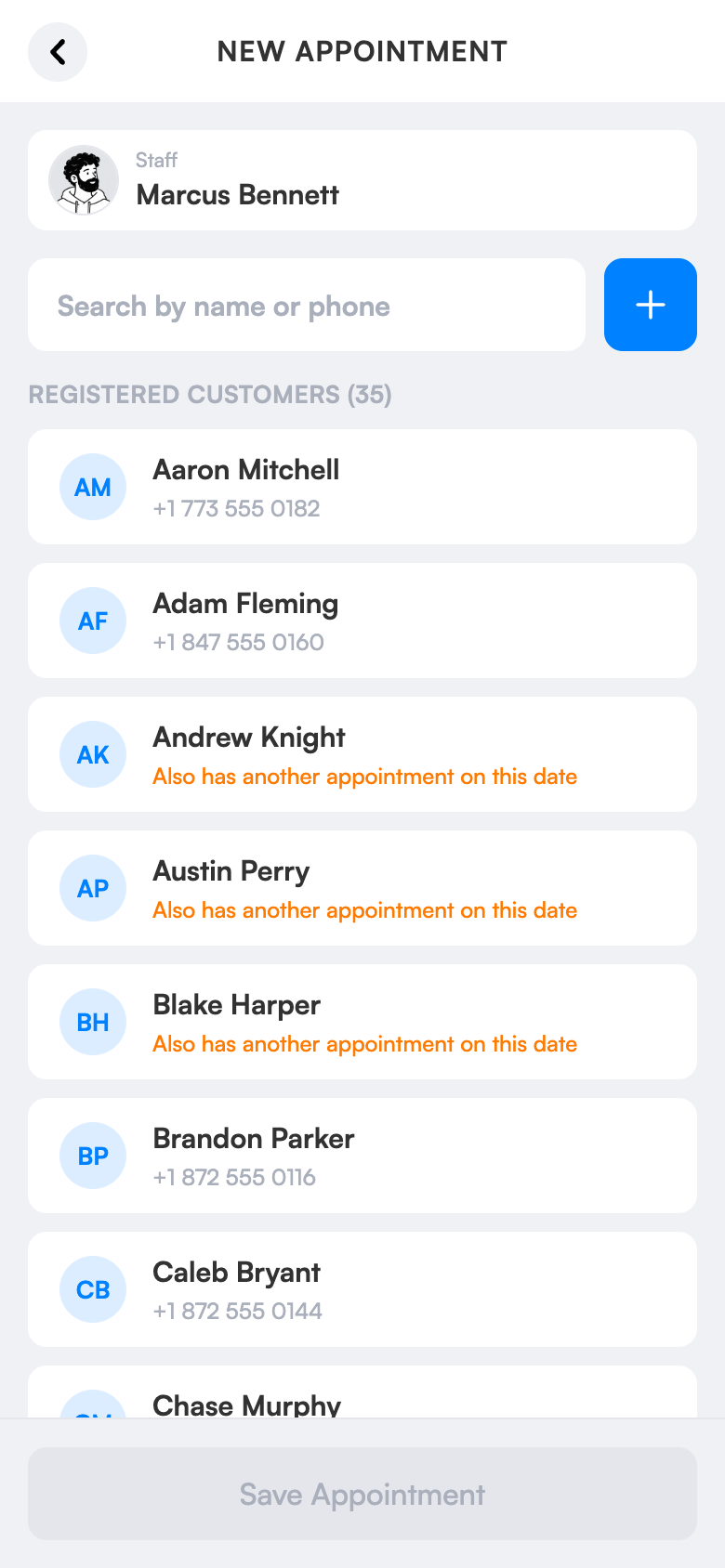
Choose the client, choose the time; the booking is ready in a few taps.
No clashes
Two bookings can’t share a slot.
See occupancy
Daily, weekly and monthly occupancy.
What does it bring to your salon?
Erased, overwritten and muddled times don’t exist in a digital diary. Every appointment is recorded, searchable and tidy; you see your gaps and plan the day efficiently.
Daily appointment book
Hour-by-hour list; today opens automatically.
End the clash headache
Two bookings can’t share a slot; one booking per client per day rule.
Safe cancellation
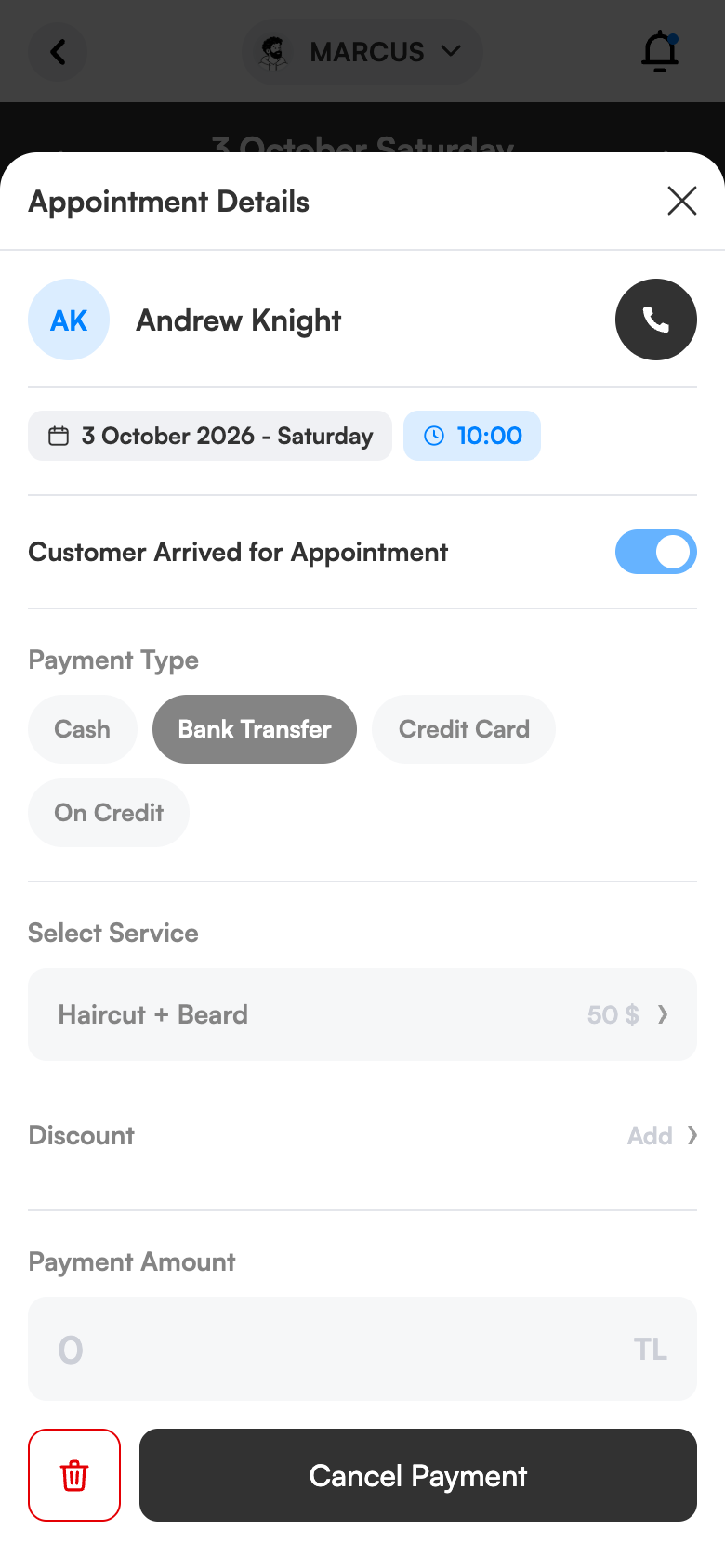
Swipe left to delete; a confirmation prevents accidental cancellation.
See the gaps
Daily, weekly and monthly occupancy, per employee.
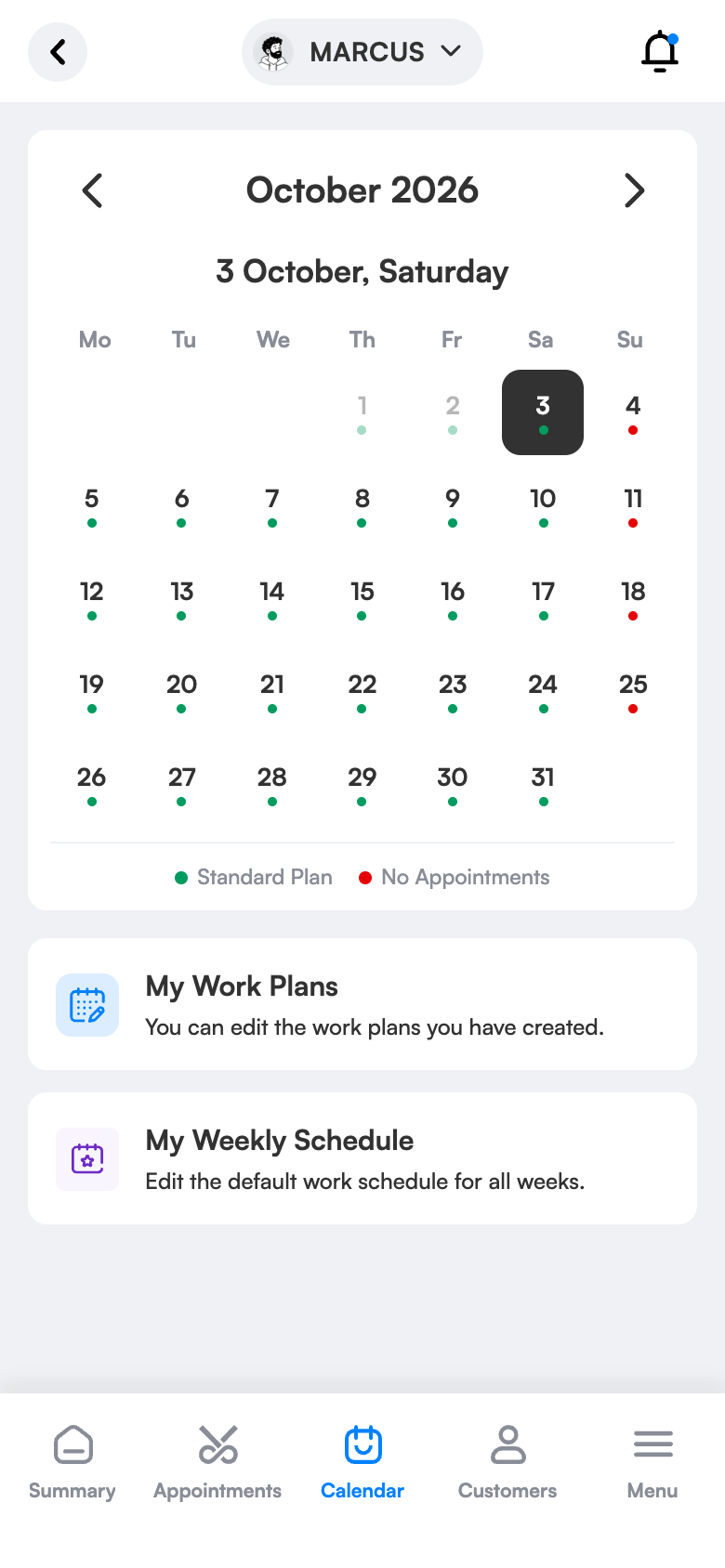
Monthly calendar
Pick a day and see its plan and appointments.
Simple screens, everything one tap away.
Ready in three steps.
No technical knowledge or training is needed for setup. Configure once and the rest runs by itself.
Try 1 month freeOpen appointments
Today opens automatically, free slots are clear.
Book the appointment
Choose the client and the time; the details go out via WhatsApp.
Track occupancy
Which day is free, which employee is booked, at a glance.
The same screen on your computer.
Daily list and appointment detail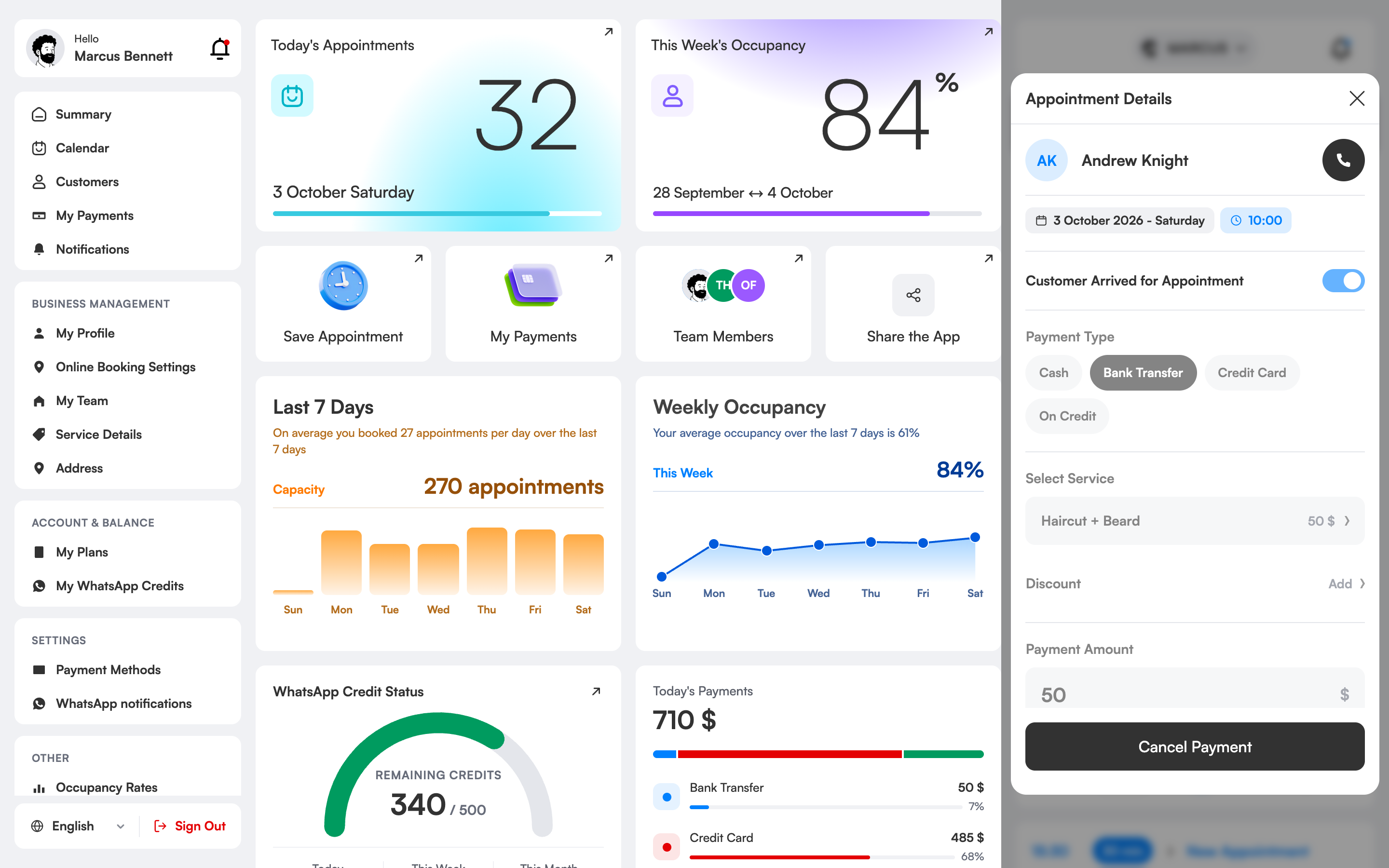
How does appointment tracking software replace a paper diary?
In a paper diary bookings get erased, overwritten and lost; not everyone on the team can reach the same diary. A digital appointment tracker records each booking with client, service, employee and time and lets everyone see it up to date.
In 3 Numara the day’s bookings are listed hour by hour and today opens automatically. From the monthly calendar you can pick any day and see its plan and bookings. You cancel a booking by swiping left; a confirmation prevents accidental deletion.
Occupancy rates show daily, weekly and monthly per employee. You know which day is free and which employee is busy; you make campaign and schedule decisions with data, not guesses.
Appointment tracking, which salons is it right for?
Salons using a paper diary
You put an end to erased, overwritten and lost pages. Every booking is recorded in the digital diary; it’s found in seconds by searching or scrolling.
Those with several chairs
The whole team’s day is visible side by side. Who is free when is clear at a glance, so you can offer the client a slot straight away.
Businesses with a reception
The person answering the phone sees times instantly, books in a few taps and no clashes happen.
Managers
You follow occupancy and the day’s programme from your phone even when you’re not at the salon; you decide with data, not guesses.
The difference between the old way and 3 Numara.
FAQ
Can two bookings be made for the same slot?
No. The system prevents clashes; online booking also has a 30-second lock.
Can I see my occupancy rate?
Yes, you see daily, weekly and monthly occupancy per employee.
Does appointment tracking software replace the paper diary?
Yes. Booking, client, service and time details are kept in the digital diary; search, filtering and clash protection are advantages a paper diary doesn’t have.
How do I transfer my existing bookings?
You start by entering new bookings; you can add existing clients one by one or in bulk.
Can several people use it at the same time?
Yes. Everyone on your team uses the same calendar with their own permissions; changes show instantly.
What if I delete a booking by mistake?
When you swipe to cancel, a confirmation opens; the risk of accidental deletion falls.
Can I use it from a computer too?
Yes. The web panel shows the same diary on a big computer screen; phone and computer stay up to date together.
A busy Saturday, a calm diary.
You open the app and the day’s appointments and free slots are in front of you.
A walk-in client gets added at the current time with “squeeze in”.
The day ends; you see your occupancy and tomorrow’s programme.
Move your diary to digital today.
Try 1 month free; setup takes 10 minutes, no commitment.