
 Deutsch
 English
 Español
 Français
 Italiano
 Nederlands
 Türkçe
Salon cash tracking: one-tap payments, turnover report ready at day’s end.
When closing an appointment, record cash, card, transfer or credit with one tap. Your daily turnover, earnings per employee and who owes what are always in front of you. The era of balancing the till with a calculator is over.
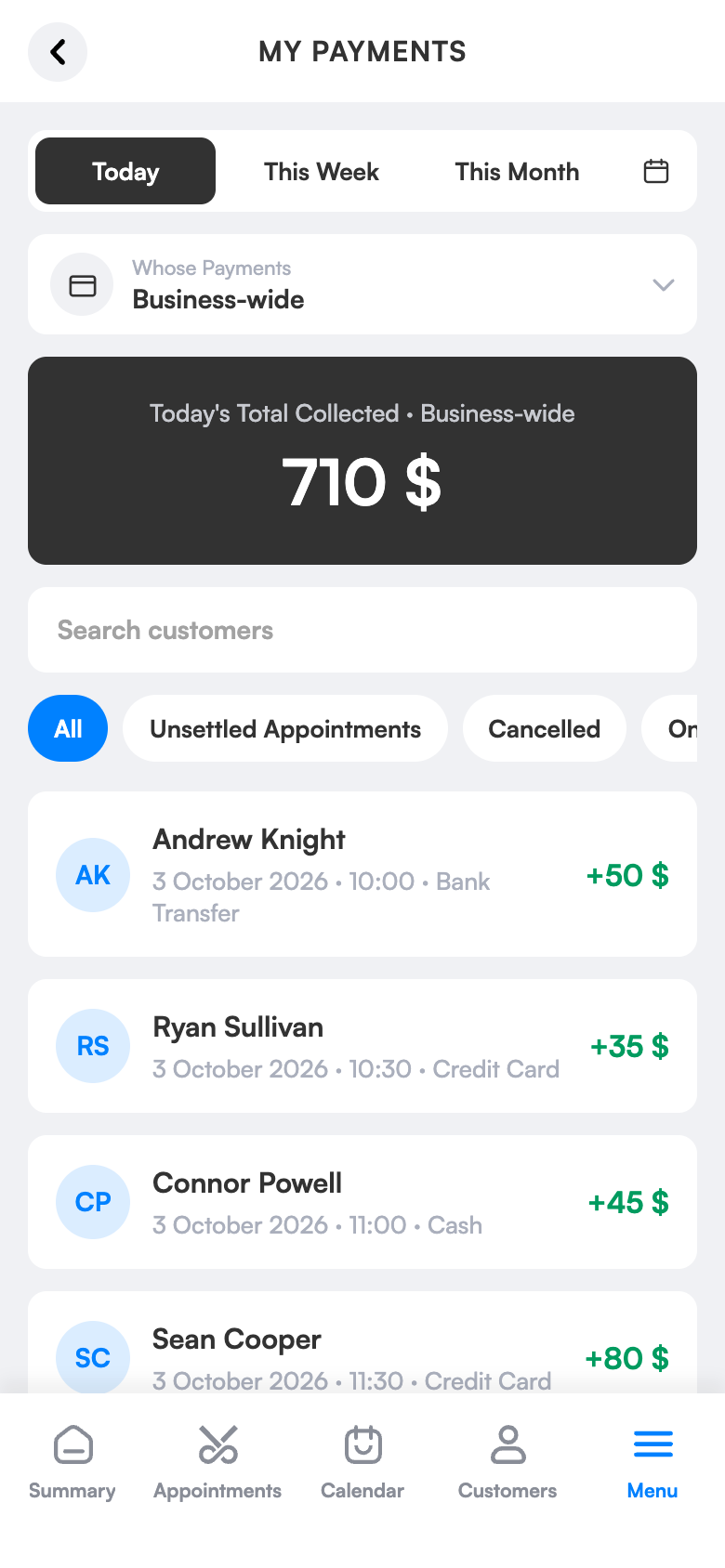
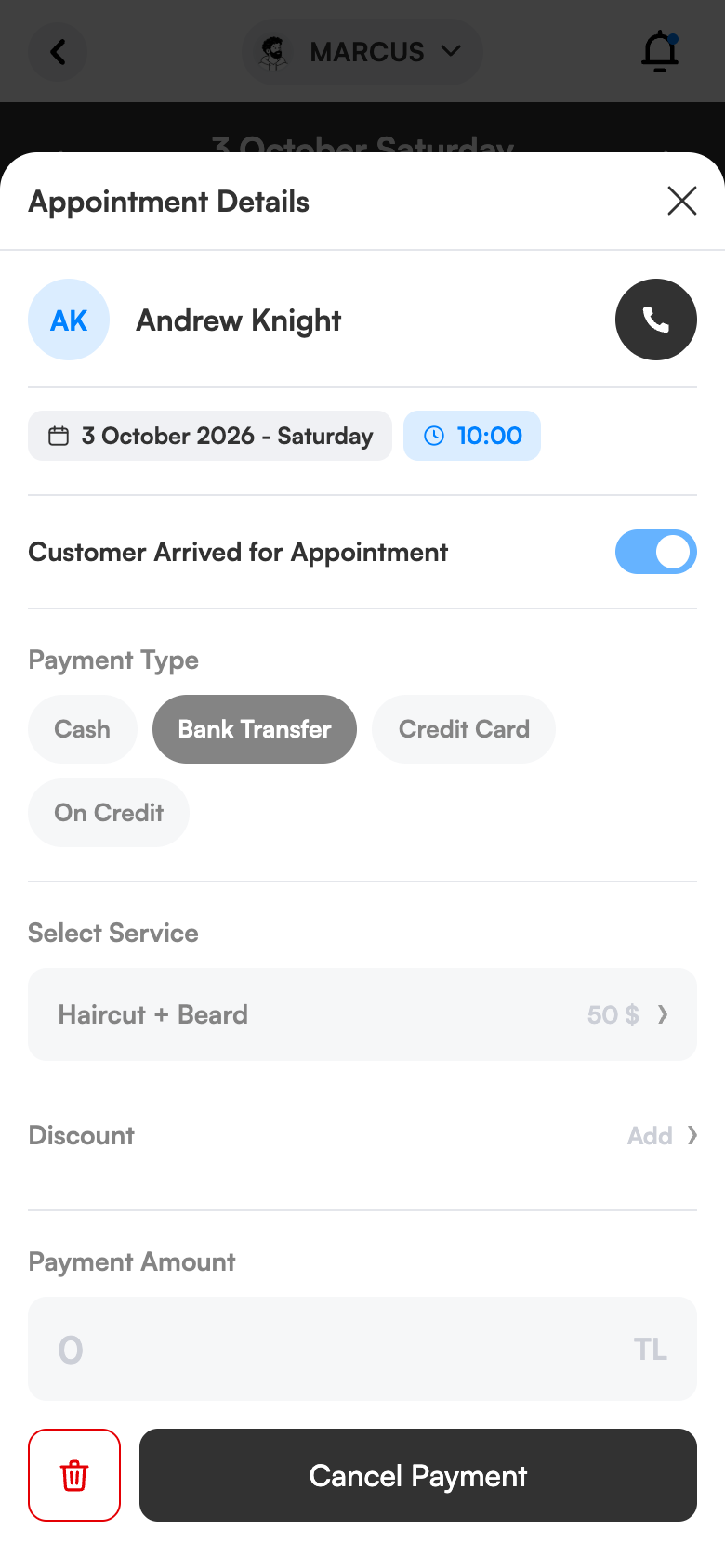
One-tap payment
Cash, card, transfer or credit.
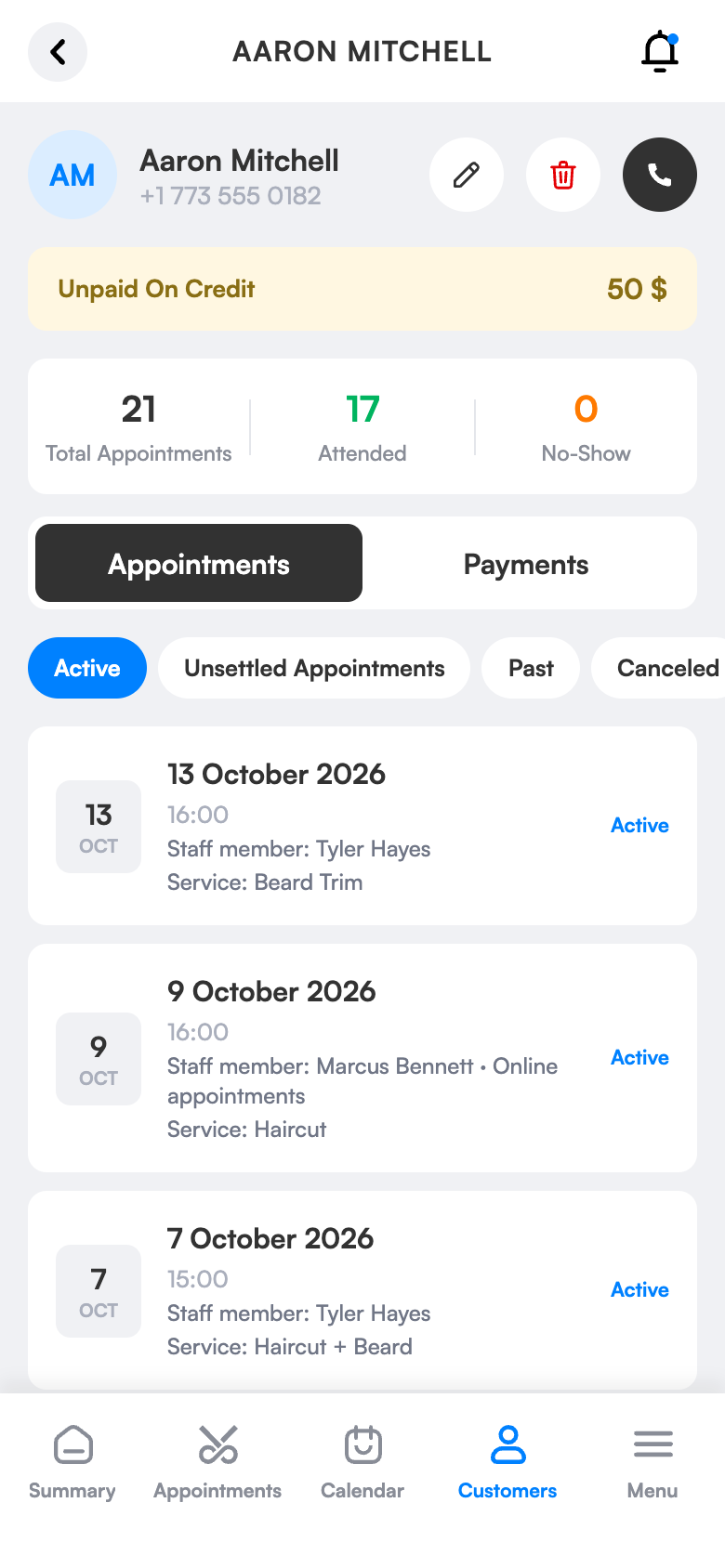
Credit is never forgotten
Debt shows as a warning on the client card.
Reports ready
Totals by day, employee and payment type.
What does it bring to your salon?
Cash shortages, forgotten credit, half an hour with a calculator each evening: all left behind. Every payment is recorded against its appointment, reducing errors.
One-tap recording
Cash, credit card (physical POS), bank transfer and credit.
Never forget credit owed
Unpaid debt appears as a warning on the client card.
Who earned how much
Filter by period and employee; the total shows on every tab.
Mistakes aren’t a problem
Undo a wrong payment; it leaves a trace and shows in notifications.
Discount
Percentage or amount discount, edit services and amounts.
Orderly records
Business-specific service number; TRY, USD, EUR, GBP.
Simple screens, everything one tap away.
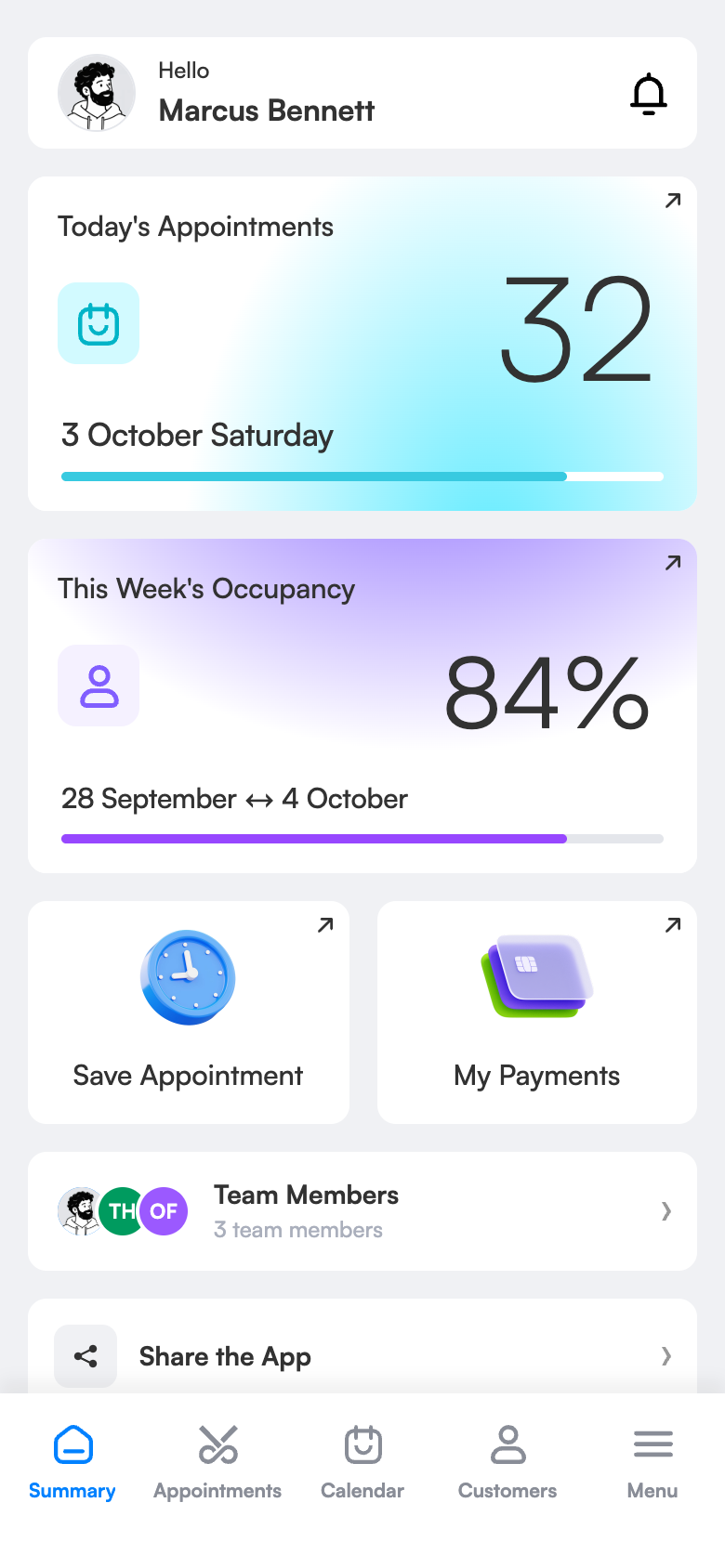
Ready in three steps.
No technical knowledge or training is needed for setup. Configure once and the rest runs by itself.
Try 1 month freeClose the appointment
Tap the appointment and mark it as “arrived”.
Choose the payment type
Cash, card, transfer or credit; discount if needed.
See the report
On the payments screen, totals by day, week, month and employee.
The same screen on your computer.
Payments by period, employee and payment type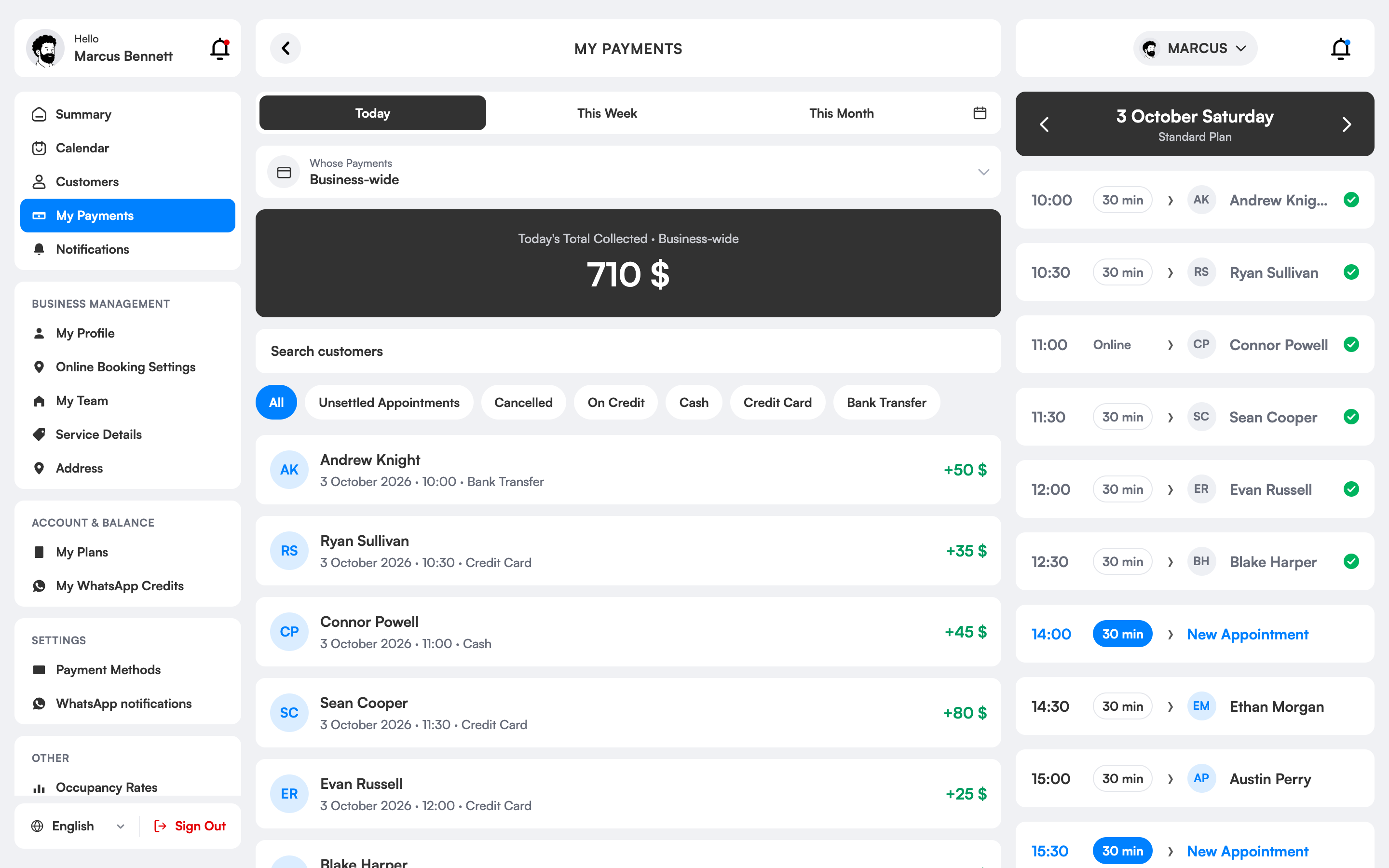
How are payments and cash tracked in salons?
Keeping the salon till by hand is time-consuming and error-prone. In 3 Numara, when you mark a booking “arrived” you choose the payment type: cash, credit card (the salon’s POS), bank transfer or credit. The amount is added to the till and daily turnover automatically.
Filtering by period and employee, you see who earned how much; you get a clear report for bonus and commission calculations. Unpaid debts show as warnings on the client card, so credit isn’t forgotten.
You can undo a wrongly entered payment; it leaves a trace and shows in notifications. You can apply discounts as a percentage or amount and use TRY, USD, EUR and GBP. 3 Numara records payments; there is no online card collection or e-invoicing.
Payments and cash register, which salons is it right for?
Salons whose till doesn’t balance
No more half an hour with a calculator in the evening. Payments are recorded instantly and the till is ready at day’s end.
Businesses that calculate bonuses
How much turnover each employee made in each period is clear; bonus and commission calculations rest on an undisputed report.
Those using cash, card and transfer
You see separate totals by payment type; cash in the till, POS and transfer amounts don’t get mixed up.
Owners who aren’t at the salon
You follow daily turnover remotely from your phone; you don’t have to call the salon with questions.
The difference between the old way and 3 Numara.
FAQ
Does it take online card payments?
No. 3 Numara records the payment; you collect it in the salon by cash, POS or transfer.
Does it issue e-invoices?
No. There is business-specific service numbering; there is no invoicing integration.
How is salon cash tracking done?
When a booking is done you record payment with one tap; you choose the payment type and the amount is added to the till and daily turnover automatically.
Can I get a turnover report per employee?
Yes. In the reports you see how much turnover each employee made in each period.
Can I separate cash and card payments?
Yes. Separate totals show by payment type.
Which currencies can I use?
TRY, USD, EUR and GBP currencies are supported.
Can I take online card payments from clients?
No. 3 Numara records payment; you take it in the salon by cash, POS or transfer. There are no e-invoices either.
No evening sums, the till is ready.
The service ends; you tap the booking and record a cash payment.
A regular client leaves credit; the debt is added to their card.
End-of-day total ready: cash, card and transfer separately.
Put your cash book in order from today.
Try 1 month free; setup takes 10 minutes, no commitment.