
 Deutsch
 English
 Español
 Français
 Italiano
 Nederlands
 Türkçe
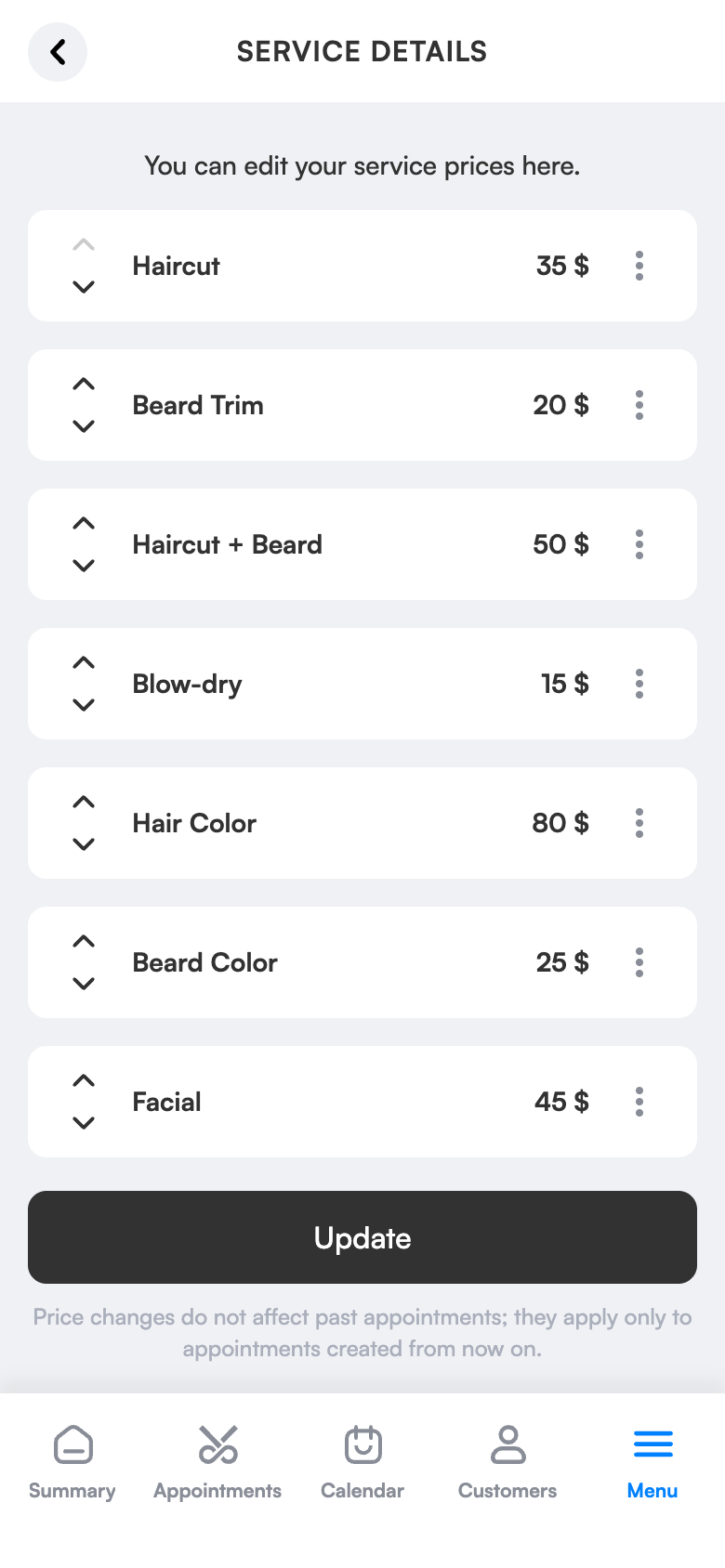
Service and price list: write it once, it appears automatically in bookings and at the till.
Enter your services once with duration and price. Clients see service and duration in online booking, and you don’t retype anything at payment. Your price list stays identical and current everywhere.
Appointments by duration
In the flexible plan, duration comes from the service.
Ready at payment
The price isn’t retyped.
Prices visible
Show them in online booking if you like.
What does it bring to your salon?
Fewer clients call just to ask the price, and no mistakes when entering amounts at the till. Because durations are defined, the calendar reserves the right gap.
Stop guessing durations
In the flexible plan, appointment length adjusts to the service duration.
Don’t retype at payment
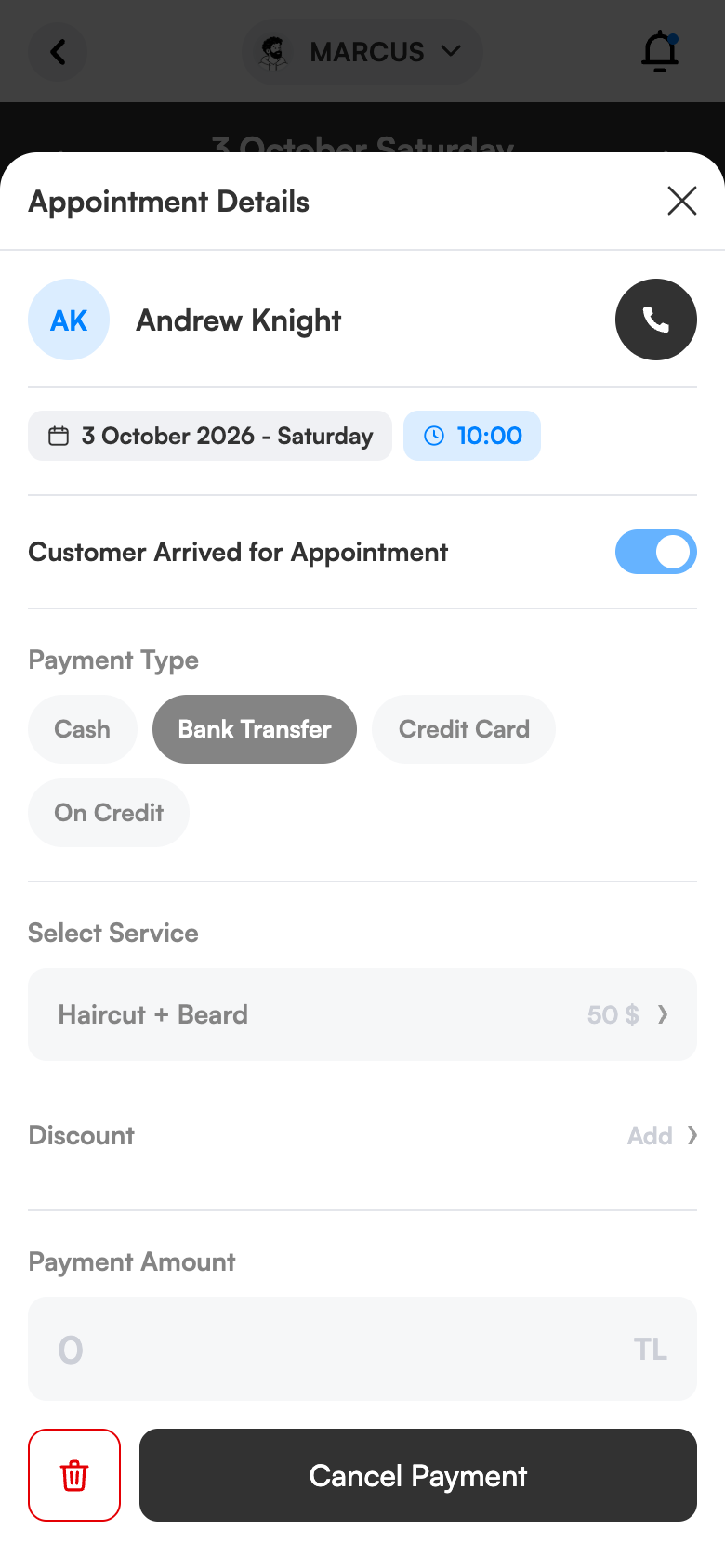
When closing an appointment, service and price fill in automatically.
Make prices visible
If you wish, show your prices in the customer app.
Easy to update
Sort the list and edit it any time.
Simple screens, everything one tap away.
Ready in three steps.
No technical knowledge or training is needed for setup. Configure once and the rest runs by itself.
Try 1 month freeEnter the services
Name, duration, price.
Sort them
The most-booked services on top.
Use them
They appear automatically in appointments, online booking and payments.
The same screen on your computer.
Service and price list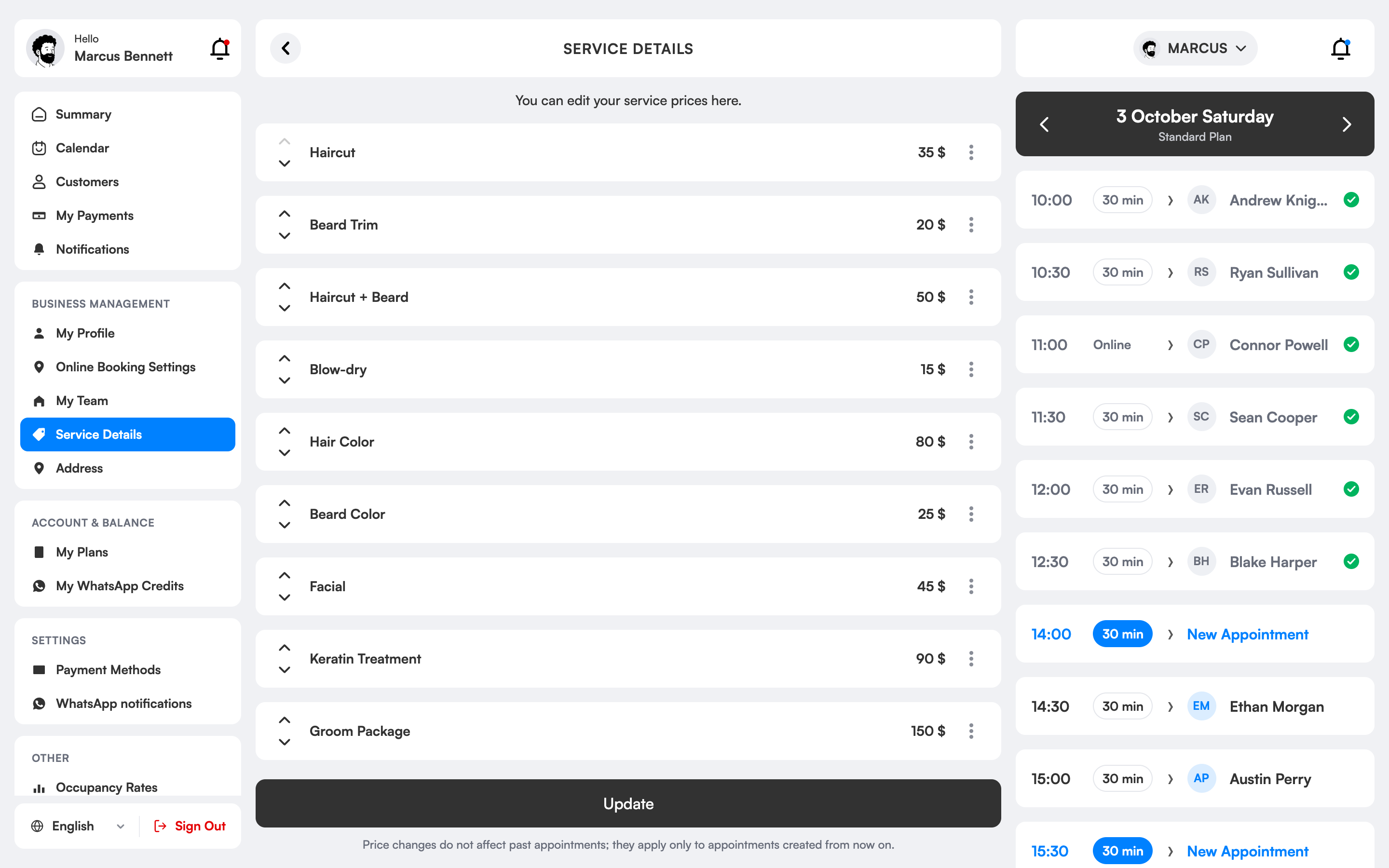
How is a salon service and price list managed?
The service list contains the name, duration and price of everything your salon offers. In 3 Numara you create it once and sort and edit it any time; you can put the most frequent services on top.
In the flexible plan booking length adjusts to service duration automatically; the right gap is reserved for long treatments. When a booking is closed, service and price fill in automatically and you don’t retype at payment.
Whether to show or hide prices in the customer app is entirely up to you. Amounts can be defined in TRY, USD, EUR and GBP.
Services and prices, which salons is it right for?
Salons offering many services
Cuts, colour, treatments and make-up sit in one categorised list; the most frequent go on top.
Those who update prices
A price is changed in one place; it updates at once in booking, payment and online booking screens.
Those doing long treatments
Because service duration is defined, the right gap is reserved in the calendar and bookings don’t overlap.
Those with different prices per employee
You can define the same service with a different duration and price per specialist, reflecting experience in the price.
The difference between the old way and 3 Numara.
FAQ
Do my prices have to be public?
No, you turn the option to show prices publicly on or off.
Which currencies can I use?
TRY, USD, EUR and GBP.
How is a salon service and price list prepared?
You enter service name, duration and price and sort them into categories. Bookings, payments and online booking all use this list.
Can I hide prices from clients?
Yes. In the online booking settings you choose whether prices are visible.
Can I enter a different price for each employee?
Yes. You can define the same service with a different duration and price per specialist.
Why does service duration matter?
Duration sets the room a service takes in the calendar; when defined correctly bookings don’t clash and free time is calculated accurately.
Can I change the order of services?
Yes. You can arrange services in any order and put the most frequent on top.
Your price list is the same everywhere.
You enter services once with name, duration and price.
When a service is chosen, duration and price fill in automatically.
The amount is ready at payment; a discount is one tap.
Write your service list once.
Try 1 month free; setup takes 10 minutes, no commitment.